
TMS add-on · transport and forwarding
Quanty TMS
Run transport and forwarding, from the order e-mail to the invoice
One system for hauliers and forwarders: orders, planner, fleet, pallets and invoices. The assistant drafts. A person confirms, assigns and issues the invoice.
Who it is for
Your own fleet, or carriers.
For transport companies with their own trucks and for forwarders who give loads to carriers. Orders, vehicles, drivers, documents and costs live in one place.

In the app
The screens a dispatcher works in.
An order from an e-mail or a PDF.
The AI reads the order into a draft. Each value shows the words it came from. A person checks and confirms it, and only then does it get its number.


Tractors as rows. Orders as bars.
Each row is a tractor with its trailer and driver, with service and absences on it. Click an order to see the nearest free tractors by distance.
Distances need a telematics connection


A suggestion waits on a card.
Ask the assistant which truck should take a load. It suggests one on an approval card. Nothing is assigned until a person chooses “Yes, do it”.
Assign order
Assign order Q-2318 (Depot 2 > Yard 5, loading 02.12 06:00) to DEMO 117, driver D-12.
| What changes | Now | After |
|---|---|---|
| Vehicle | none yet | DEMO 117 |
| Driver | nobody yet | D-12 |
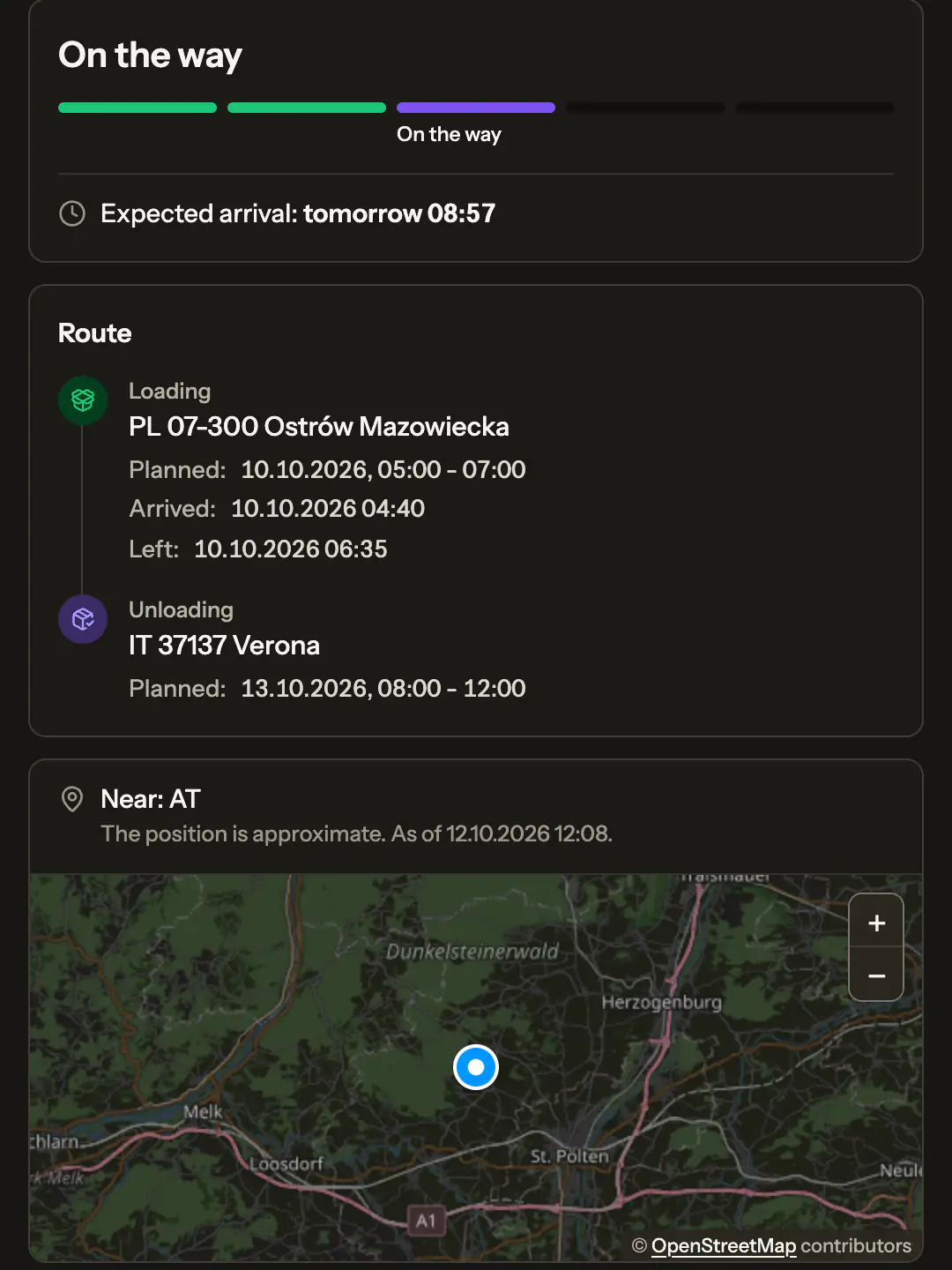
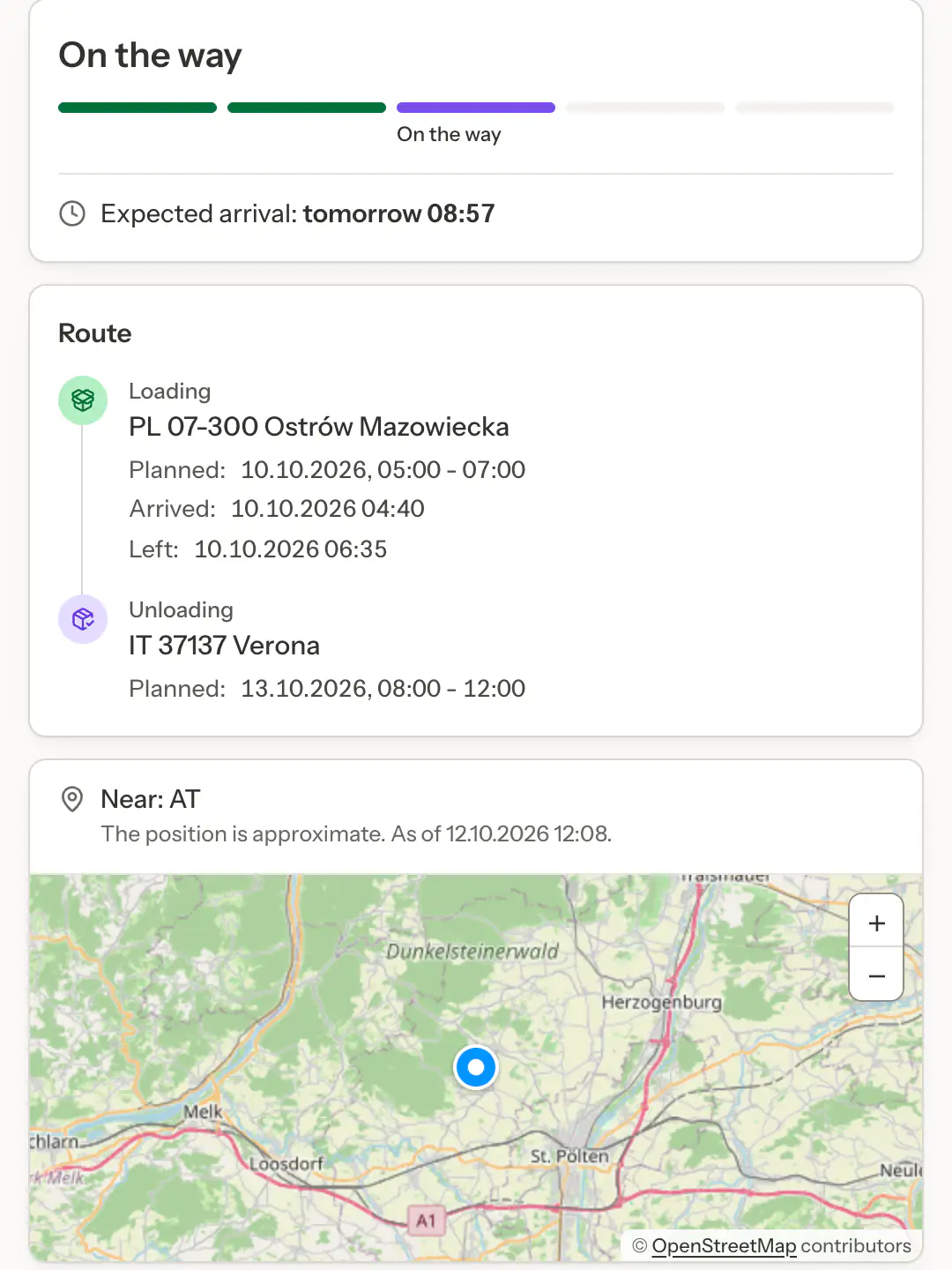
A link your customer opens.
Status, stops, a rough position and the expected arrival. No prices, no carrier and no driver.
Positions need a telematics connection
Tractor and trailer, in 3D.
Tyres, brakes, documents and other zones light up when they need attention. Findings come from telematics, the workshop and the vehicle documents.
With telematics or vehicle documents


Features
What it does today.
Orders and quotes
Typed in, imported from Excel or CSV, or drafted from an e-mail or a PDF. Quotes and order templates sit beside them.
Planner
Drag an order from the tray onto a tractor. Service and absences stand on the same row, so a truck due at the workshop is seen before it gets a load.
Tracking and carrier links
A tracking board, a map and a public link for your customer. Through a link, a carrier confirms the order with plate and driver and sends the CMR, POD and invoice.
Positions need a telematics connection
Vehicles, sets and people
Tractor, trailer and driver as one set. Documents with expiry dates, absences and equipment. Service orders and downtime in the workshop.
Documents and issues
A queue for CMRs and other transport documents, with reminders. Issues gathers what needs attention: missing papers, expiring documents, overdue invoices.
Pallets
The driver writes what was left and taken. Quanty books it and keeps the balances per customer and carrier, with a calendar.
Invoices, costs and payments
Invoices made from orders and issued by a person. Carrier costs, bank statement import and matching, payment reminders, the VAT white list check and reports.
KSeF e-invoicesBeta
A person sends an invoice to KSeF, with a second approval. A test environment stays on until an admin switches it.
From the Gold plan
The assistant beside every screen
It searches orders, says who drove which vehicle where and when, adds up fleet costs, lists open issues and works out a route and its cost, lane prices, margin or receivables.
AI in the TMS
The assistant drafts. A person approves.
What the assistant may do is set in code, never by the model. Confirming, assigning, status changes, payments and anything it sends wait on an approval card. Issuing invoices, KSeF and credit limits never go through chat.

AI prepares
- A draft order from text or a PDF
- Stops, goods and notes on any order
- A new contractor from its tax ID
- Service orders, absences and fleet costs
- Invoice drafts from orders
- Reminder and quote drafts, with nothing sent
A person approves
- Confirming, cancelling or correcting an order
- Assigning a vehicle, a driver or a carrier
- Changing a status or switching a set
- Recording a payment
- Sending a reminder or a quote
- Issuing invoices and sending to KSeF, in the app only
Without asking, the assistant creates draft orders, service orders, absences and fleet costs, and edits the stops, goods and notes of any order, confirmed or not.
Integrations
Each connection, with its real status.
GBox
PilotVehicle positions for the map, tracking and the planner. Quanty only reads; nothing is sent to the driver’s tablet.
Marcos TMS
BetaOrders mirrored from Marcos TMS for a parallel run beside it, set up by Quanty. Not yet run on a live account.
KSeF
BetaInvoices to Poland’s national e-invoice system, sent by a person with a second approval. From the Gold plan.
fireTMS
Coming soonNo connector exists yet.
Other telematics
On requestTell us your provider. We check the connection with you before anything is promised.
GBox, Marcos TMS and fireTMS are trademarks of companies of the Eurowag group, which is not affiliated with Quanty. Each connection is set up together with you.
Where it fits
From the dispatch desk to the finance team.
Plan
One add-on for the whole organization.
Quanty TMS is switched on for the whole organization, with every workspace in it, on a team plan. Quanty Core comes with it.
- With a team plan: Silver, Gold, Platinum or Custom
- Priced by the number of vehicles; trailers are not counted
- KSeF inside the TMS from the Gold plan
- Chat, Calendar, Files and Automations shared with Core
- Switched on together with you
Quanty software
The other products
 Quanty CoreTables, files, chat and AI employees, in one app for every team.
 Quanty DMSThe service side of a truck workshop: intake, work orders, the hall planner, estimates and warranty claims.
 Quanty CoherenceOne picture of a contractor or a truck across orders, documents and notes, and where they disagree. In every paid plan.