See pricing →

TMS · transport and forwarding

Transport with AI on board. Everything in one place.

AI drafts orders from e-mails, suggests a free truck and answers fleet questions.

Illustration · demo data

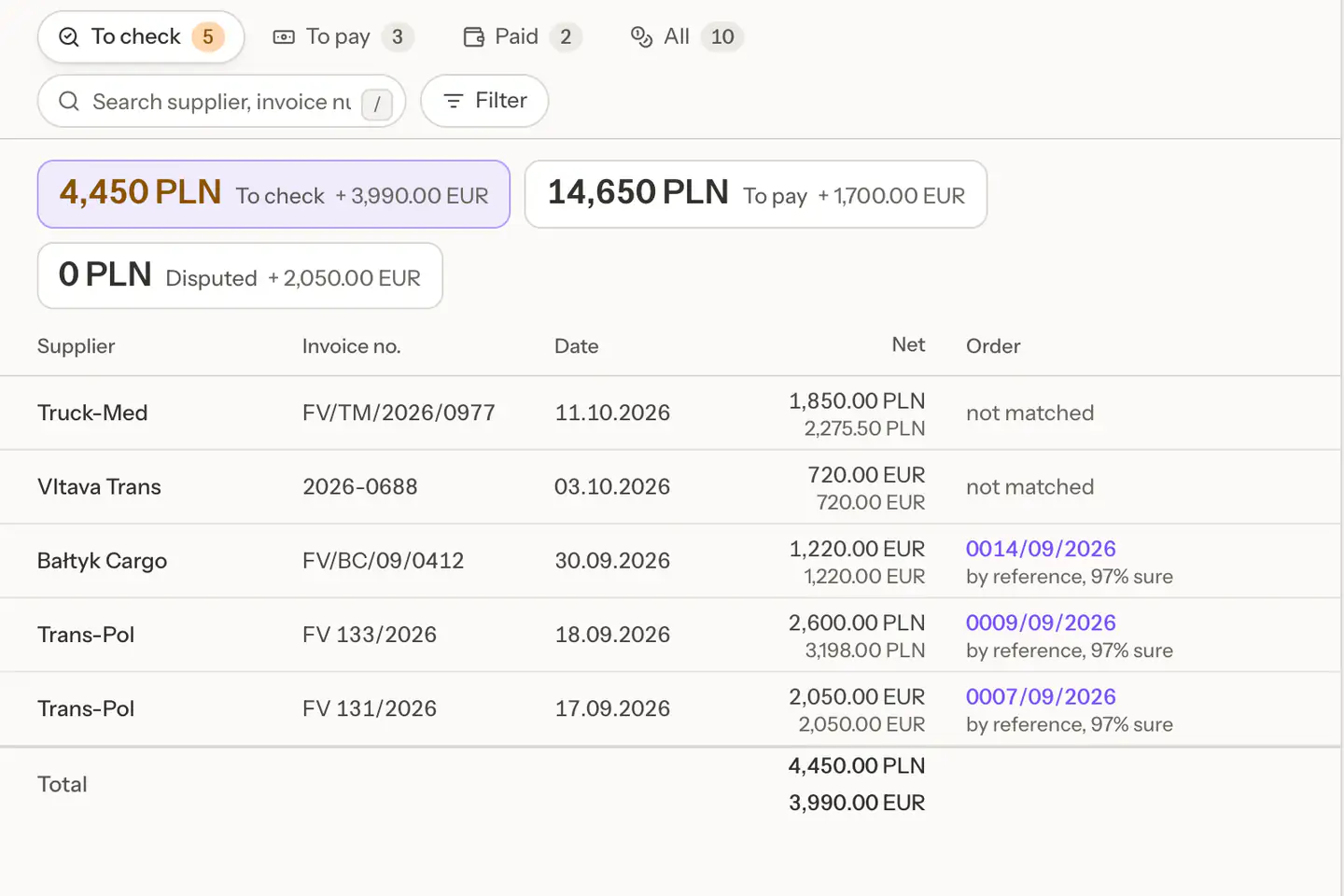
From the order e-mail to the invoice. The AI drafts the order and suggests a free truck. Invoices are made from orders. A person checks, approves and sends them.

The My work screen in Quanty TMS: a greeting, the list of things to do now and today’s loadings on a timelineThe My work screen in Quanty TMS: a greeting, the list of things to do now and today’s loadings on a timeline

Orders

An order from an e-mail. No retyping.

Drop in a PDF or an e-mail. AI fills in the fields; you check.

A new order in Quanty TMS: fields the AI filled in from the client’s PDF, ready to check before savingA new order in Quanty TMS: fields the AI filled in from the client’s PDF, ready to check before saving

Planner

You have trucks. You have loads. Quanty suggests who goes.

Plan on a timeline. The assistant suggests a free truck; a person always approves.

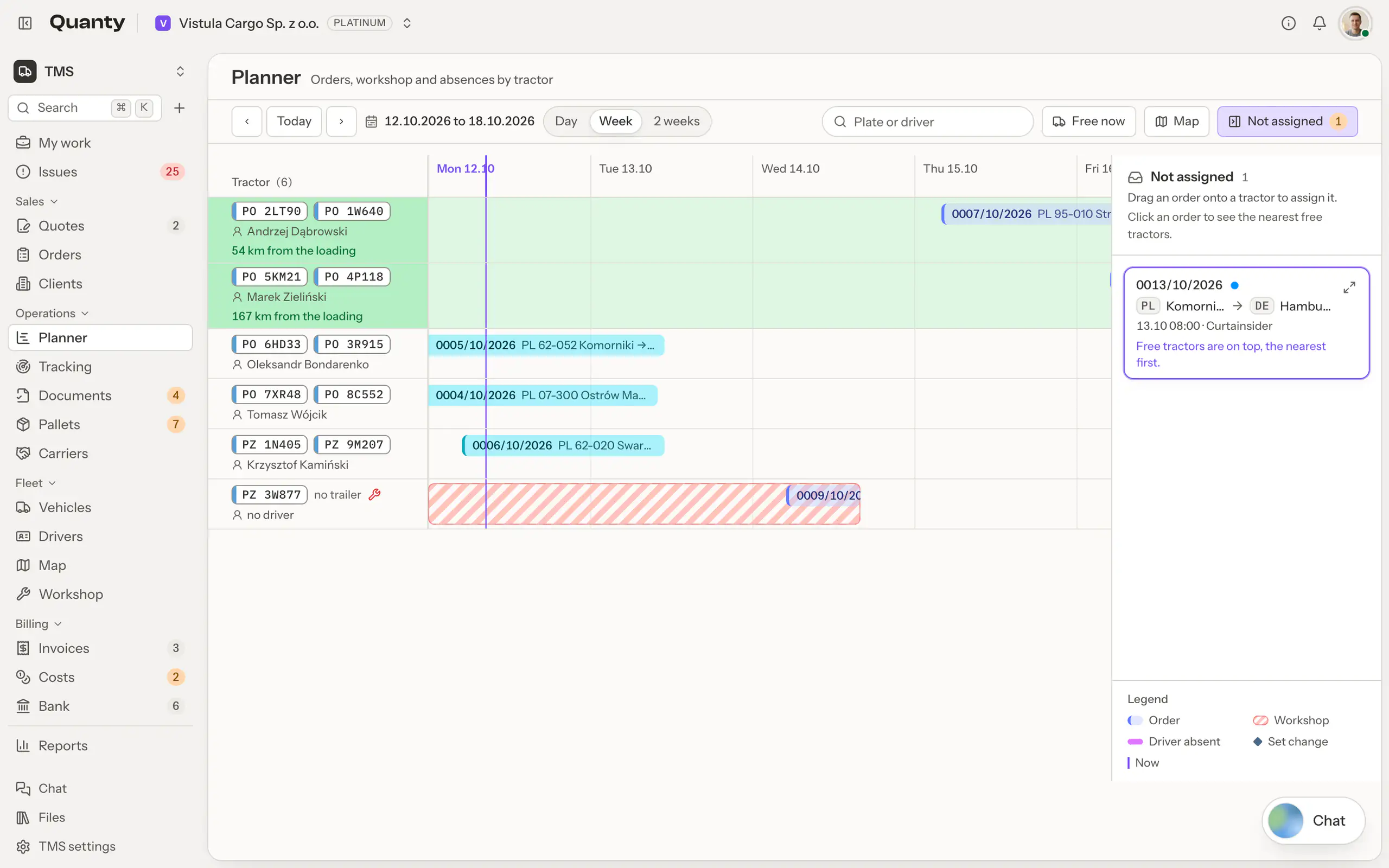
  1. Click an orderQuanty shows the nearest free tractors.
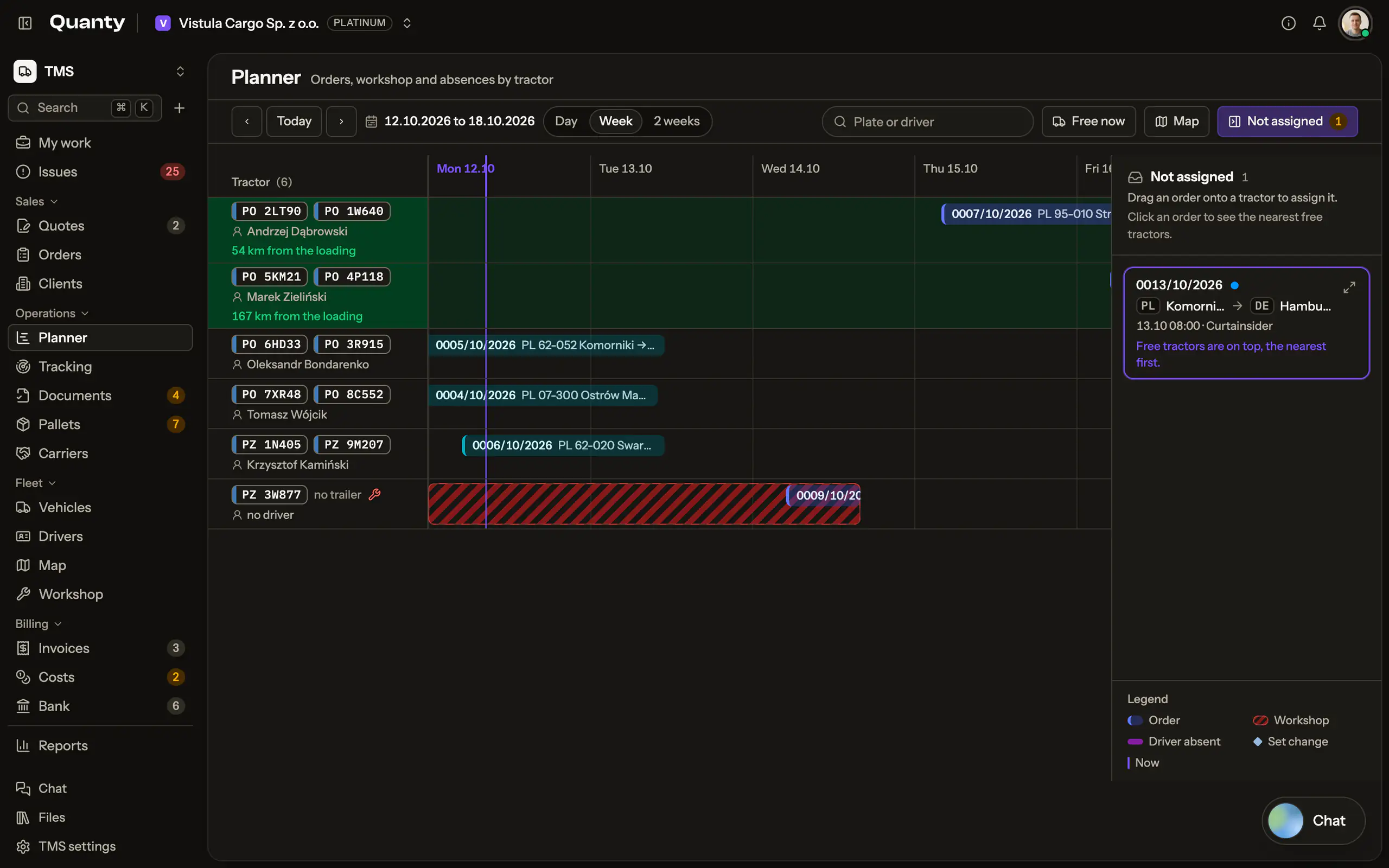
    The planner in Quanty TMS: tractors as rows, orders as bars on a timeline, the list of unassigned orders and the nearest free tractors for the picked orderThe planner in Quanty TMS: tractors as rows, orders as bars on a timeline, the list of unassigned orders and the nearest free tractors for the picked order
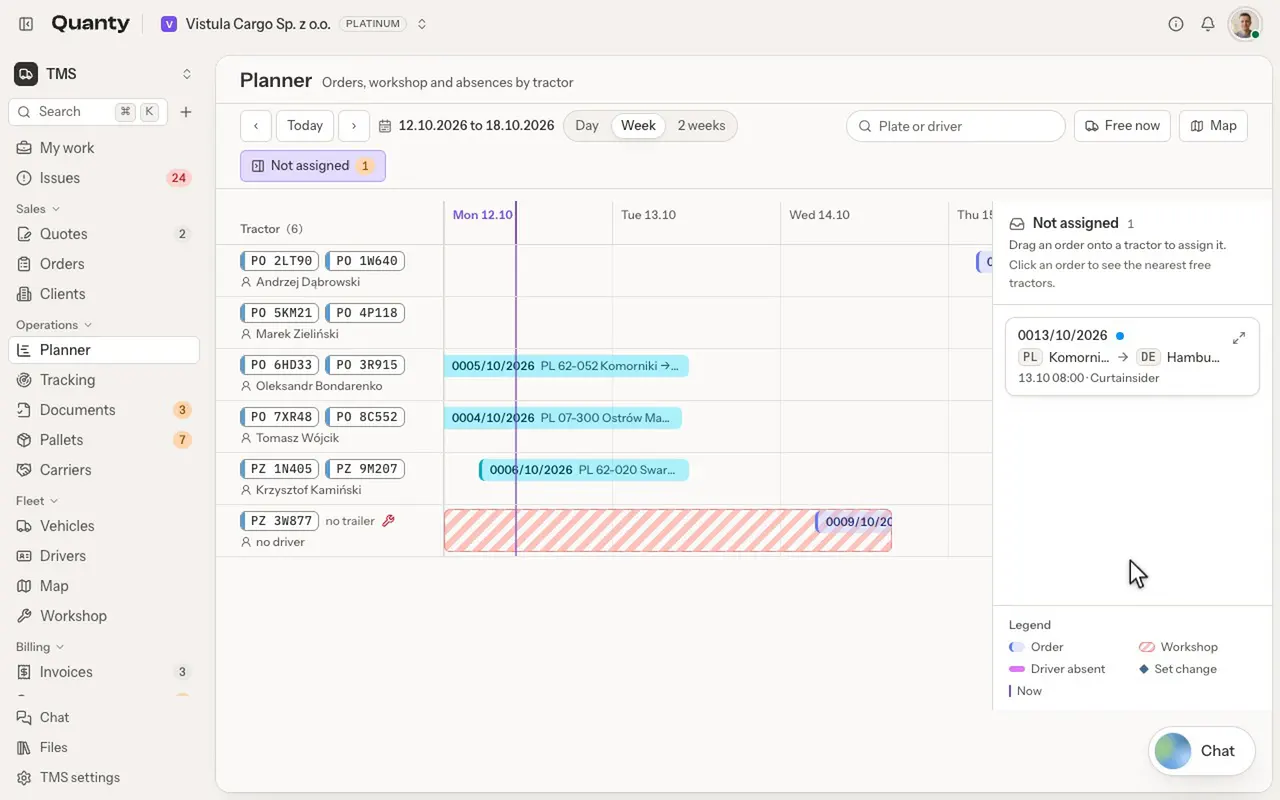
  2. Drag onto a truckThe order lands on that tractor’s timeline.
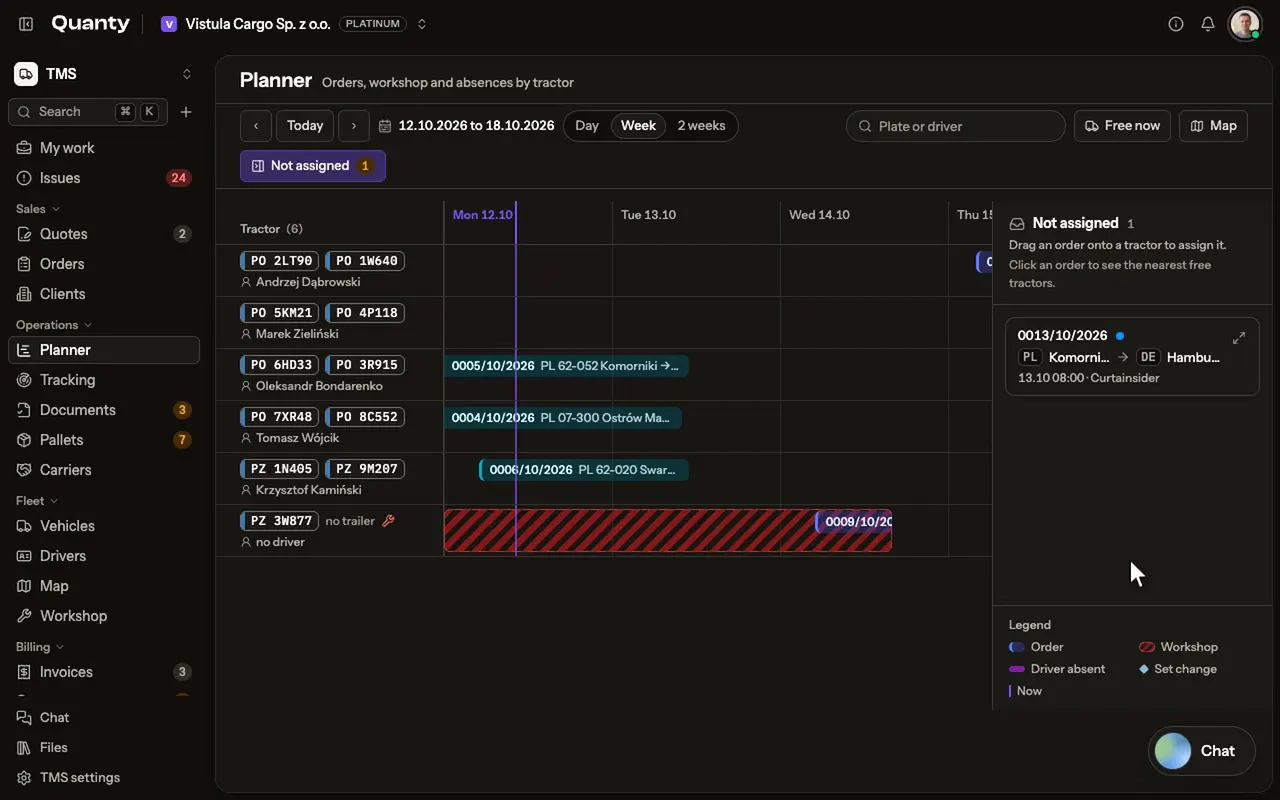
    An order being dragged from the unassigned list onto a tractor’s row in the plannerAn order being dragged from the unassigned list onto a tractor’s row in the planner
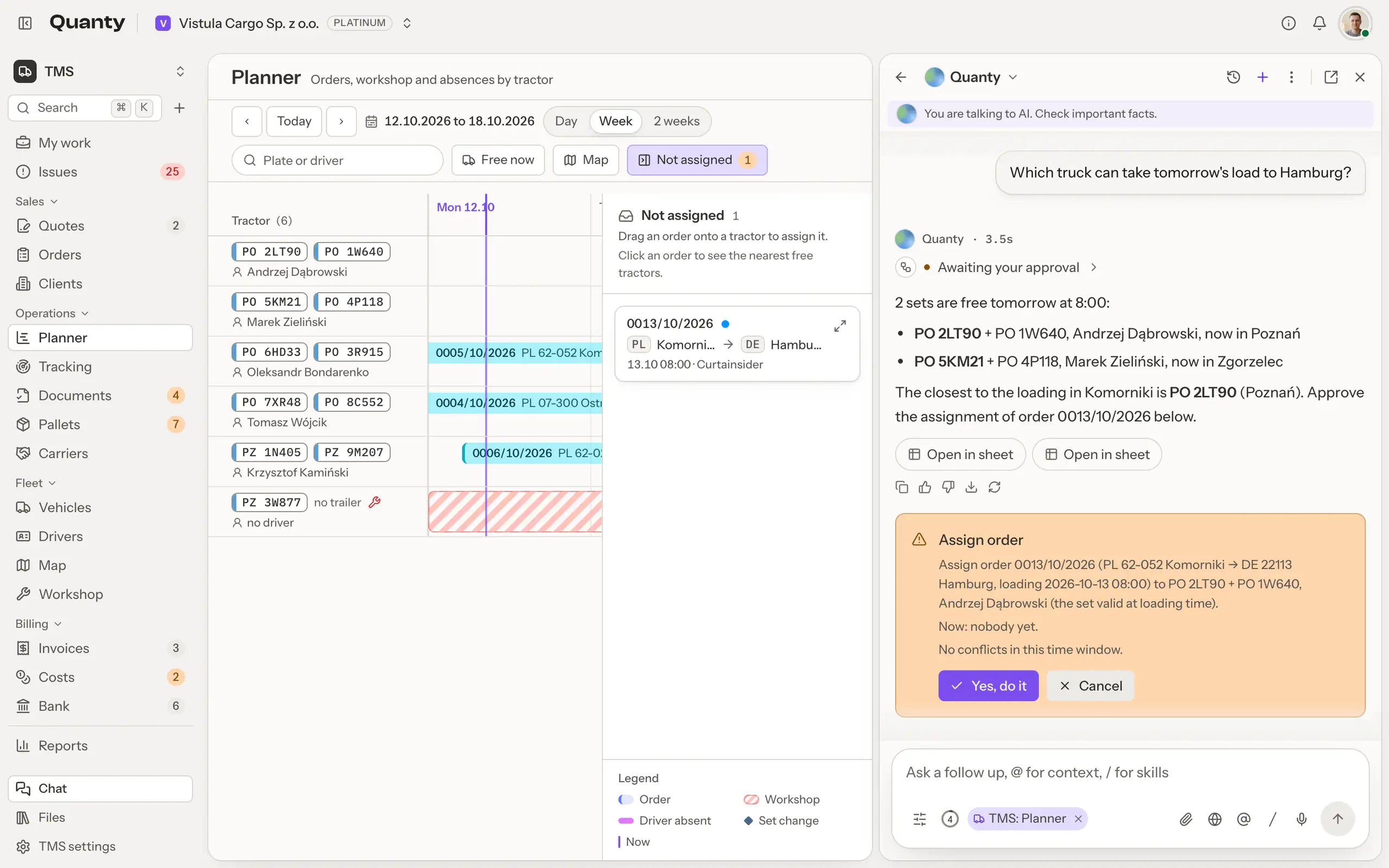
  3. Or ask the assistantIt suggests a free truck. You approve with one click.
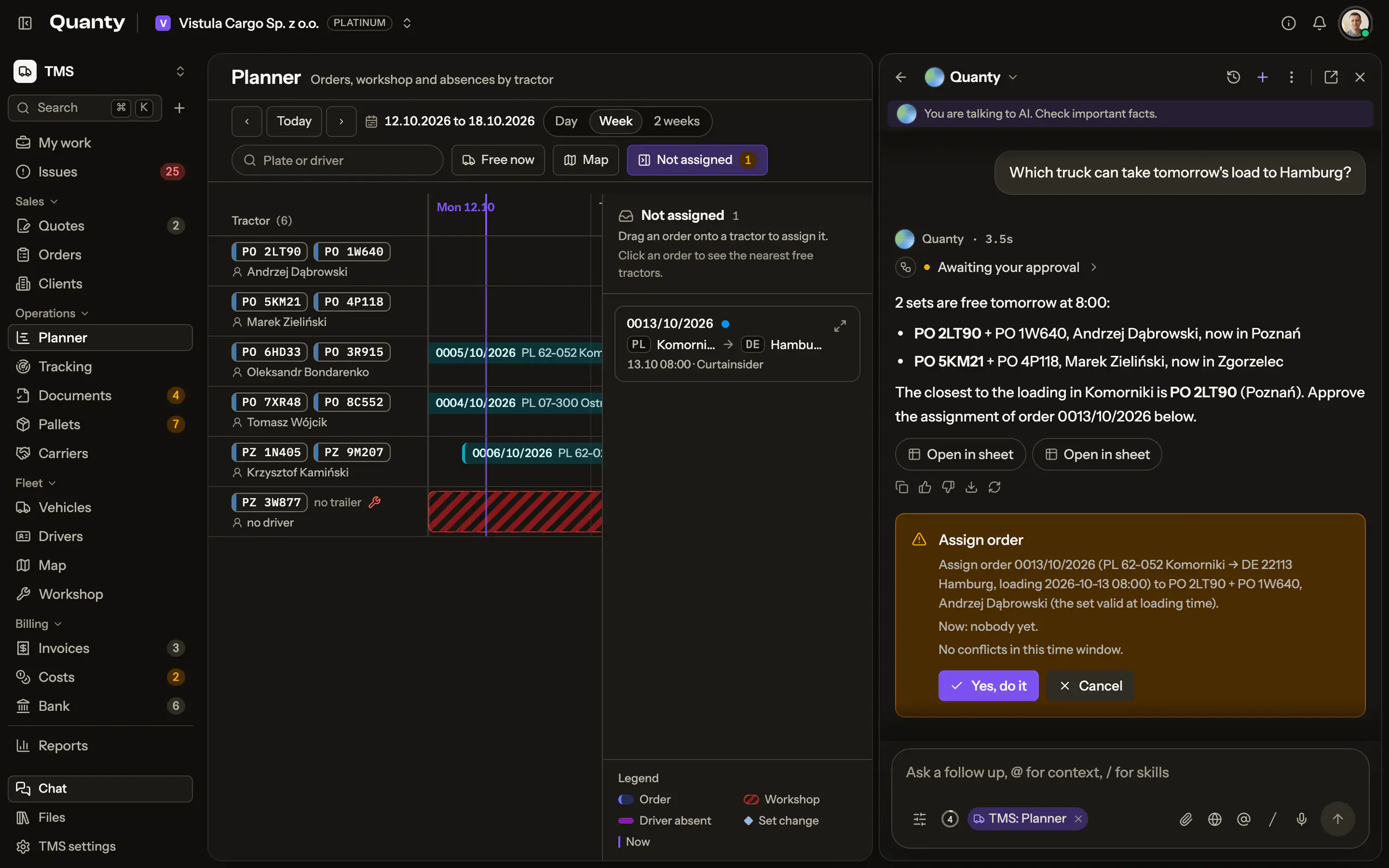
    The Quanty assistant asked which truck should take a load: an answer with free vehicles and a card to approveThe Quanty assistant asked which truck should take a load: an answer with free vehicles and a card to approve

Fleet

Your fleet, live.

GPS positions on one map. See where each order is and if it is on time.

Tracking in Quanty TMS: orders under way in a list, with the trucks live on the map beside itTracking in Quanty TMS: orders under way in a list, with the trucks live on the map beside it

Vehicle health

The health of every vehicle. In 3D.

The 3D model lights up what needs attention: tyres, brakes, documents.

A turning 3D model of a tractor with one zone highlightedA turning 3D model of a tractor with one zone highlighted
3D model DAF XG 2021 by Merc_TV, CC BY 4.0, modified
The Vehicle health tab in Quanty TMS: the 3D tractor, a highlighted zone, the score and the list of issuesThe Vehicle health tab in Quanty TMS: the 3D tractor, a highlighted zone, the score and the list of issues
The app’s Vehicle health tab

Pallets

Pallets settled from the driver’s message.

The driver writes what was left and taken. Quanty books it and keeps the balances.

Pallets in Quanty TMS: the driver’s message and the pallet entry made from itPallets in Quanty TMS: the driver’s message and the pallet entry made from it

Invoices · KSeF beta

Invoices straight to KSeF.

Made from orders. A person sends them to KSeF, never the AI.

An invoice in Quanty TMS sent to KSeF: the invoice details and the status from KSeFAn invoice in Quanty TMS sent to KSeF: the invoice details and the status from KSeF

Tracking

Your client tracks the load.

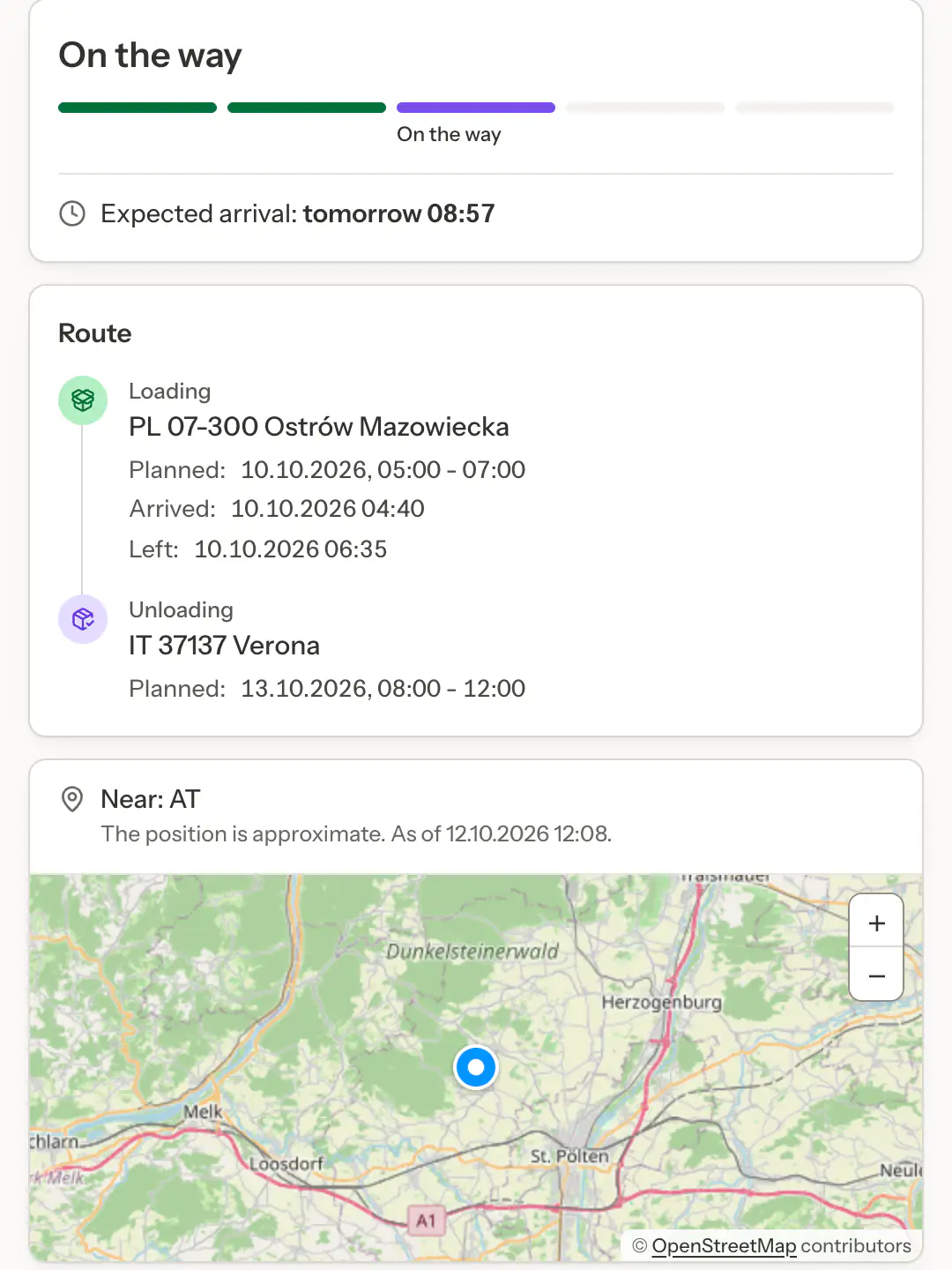
Send a link. The client sees status, map and expected arrival.
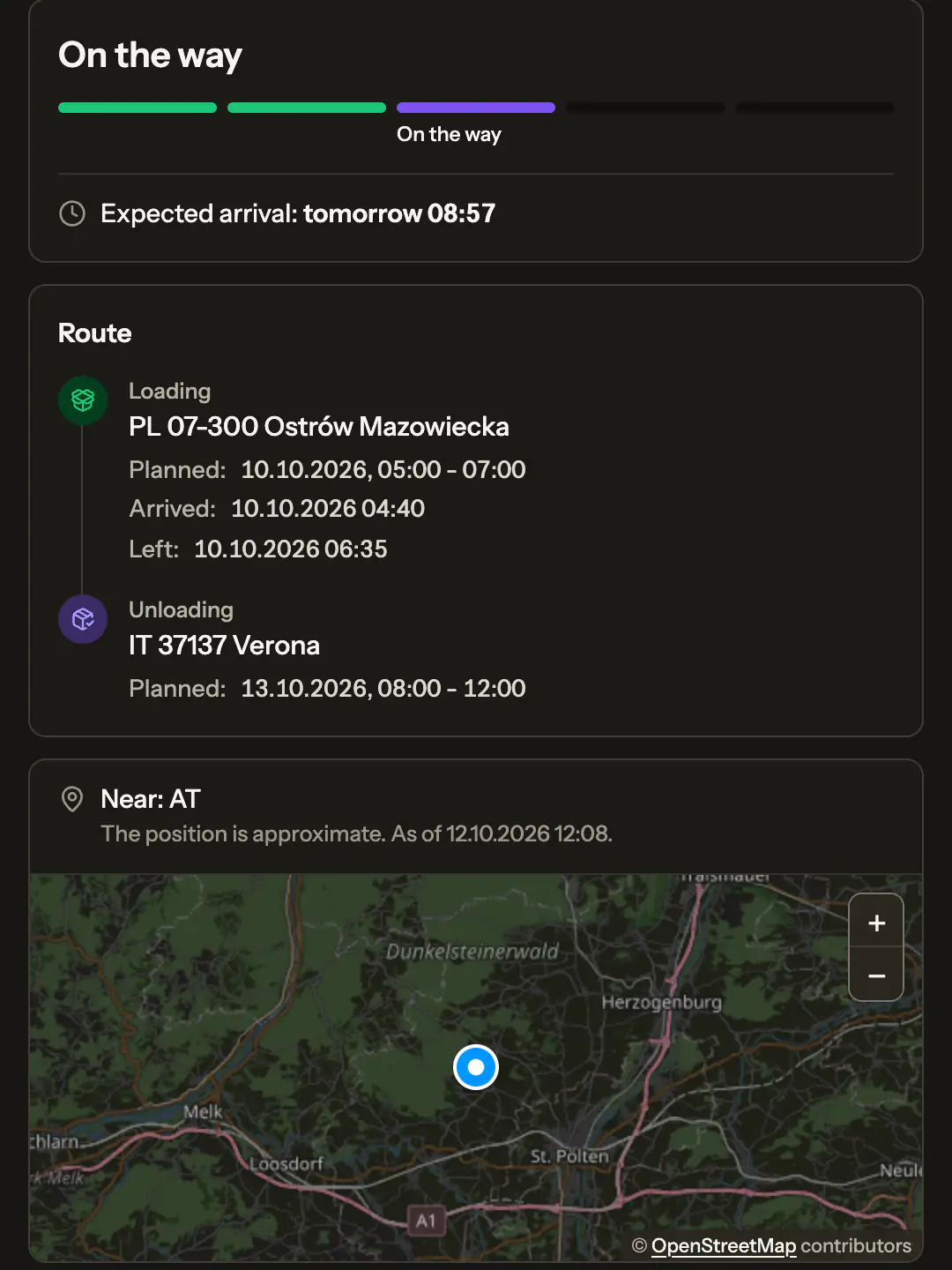
The public tracking page for a load: the map, the status and the expected arrival timeThe public tracking page for a load: the map, the status and the expected arrival time
The same tracking page on the client’s phoneThe same tracking page on the client’s phone

Chat

Your team messages, calls and asks AI. In one chat.

Channels, video calls and AI specialists for transport planning, next to your orders.

Chat in Quanty: a team channel, messages from dispatchers and an answer from the @Quanty assistantChat in Quanty: a team channel, messages from dispatchers and an answer from the @Quanty assistant
A video call in Quanty Chat: four people on one screenA video call in Quanty Chat: four people on one screen
A conversation with an AI agent in Quanty Chat: the list of agents and an answer based on the company’s dataA conversation with an AI agent in Quanty Chat: the list of agents and an answer based on the company’s data

Theme

Light by day. Dark by night.

The same screen in both themes. Drag the divider and compare.

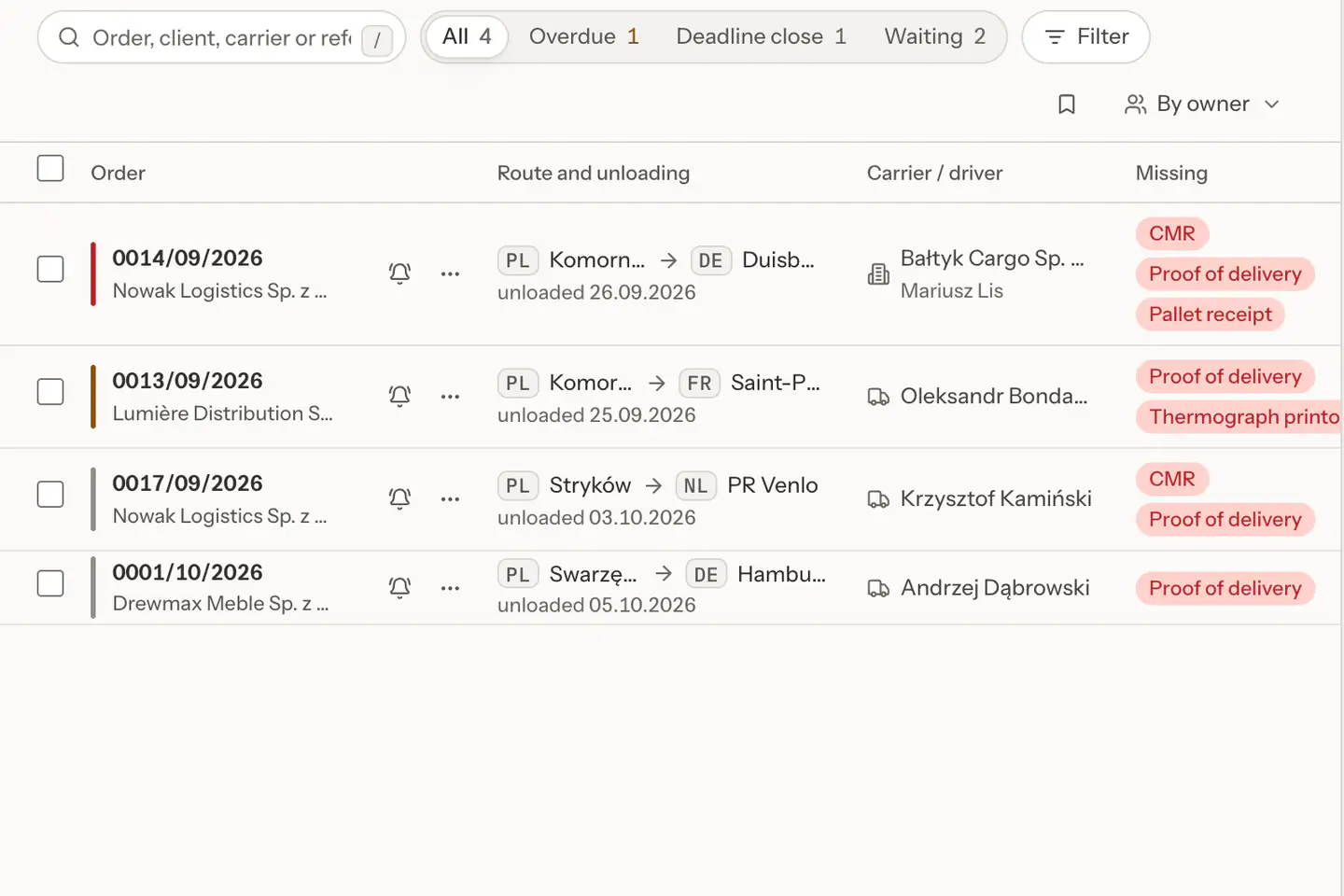
The planner in Quanty TMS in the light and the dark theme, split by a divider you can drag

In the same add-on

And the rest of the company.
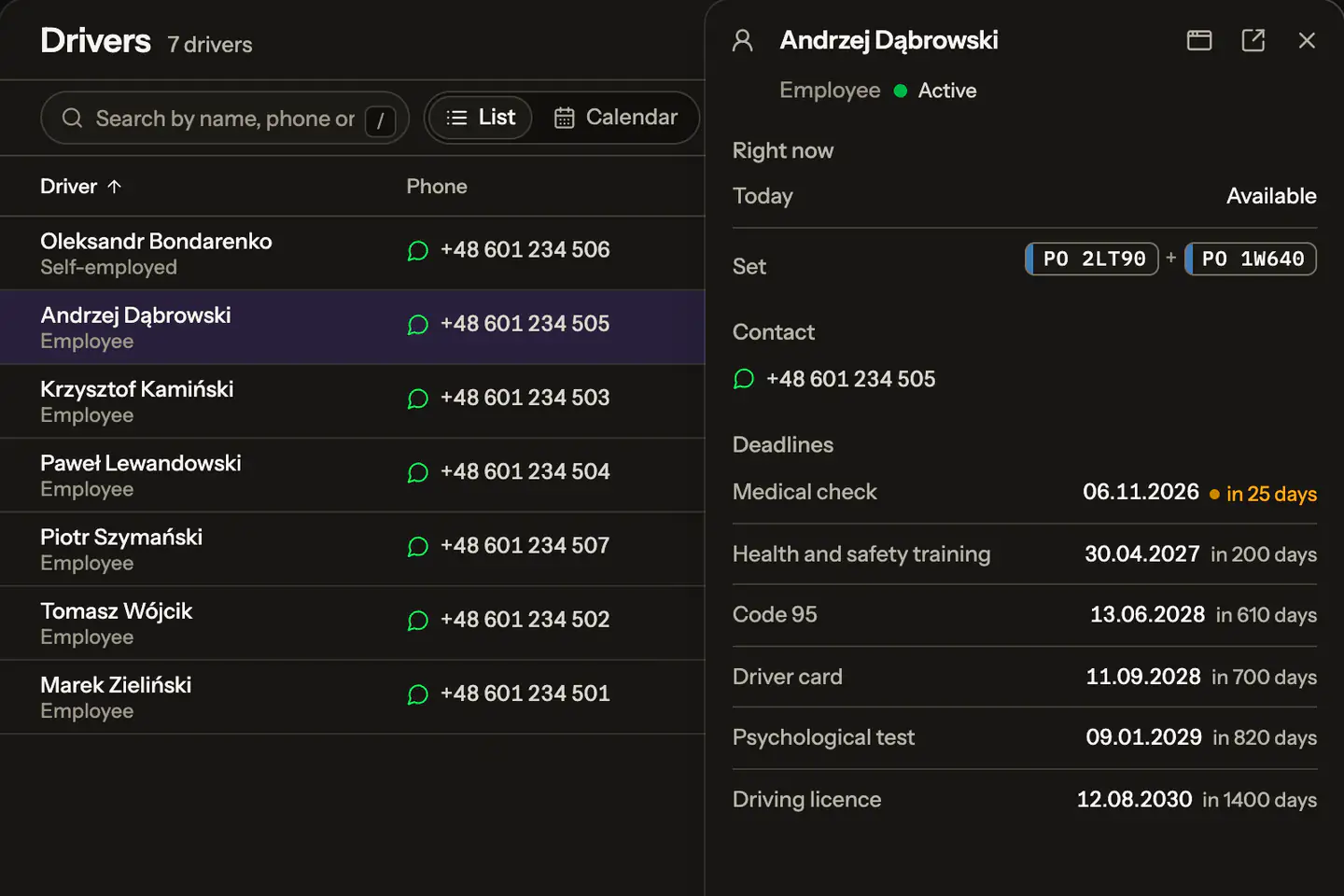
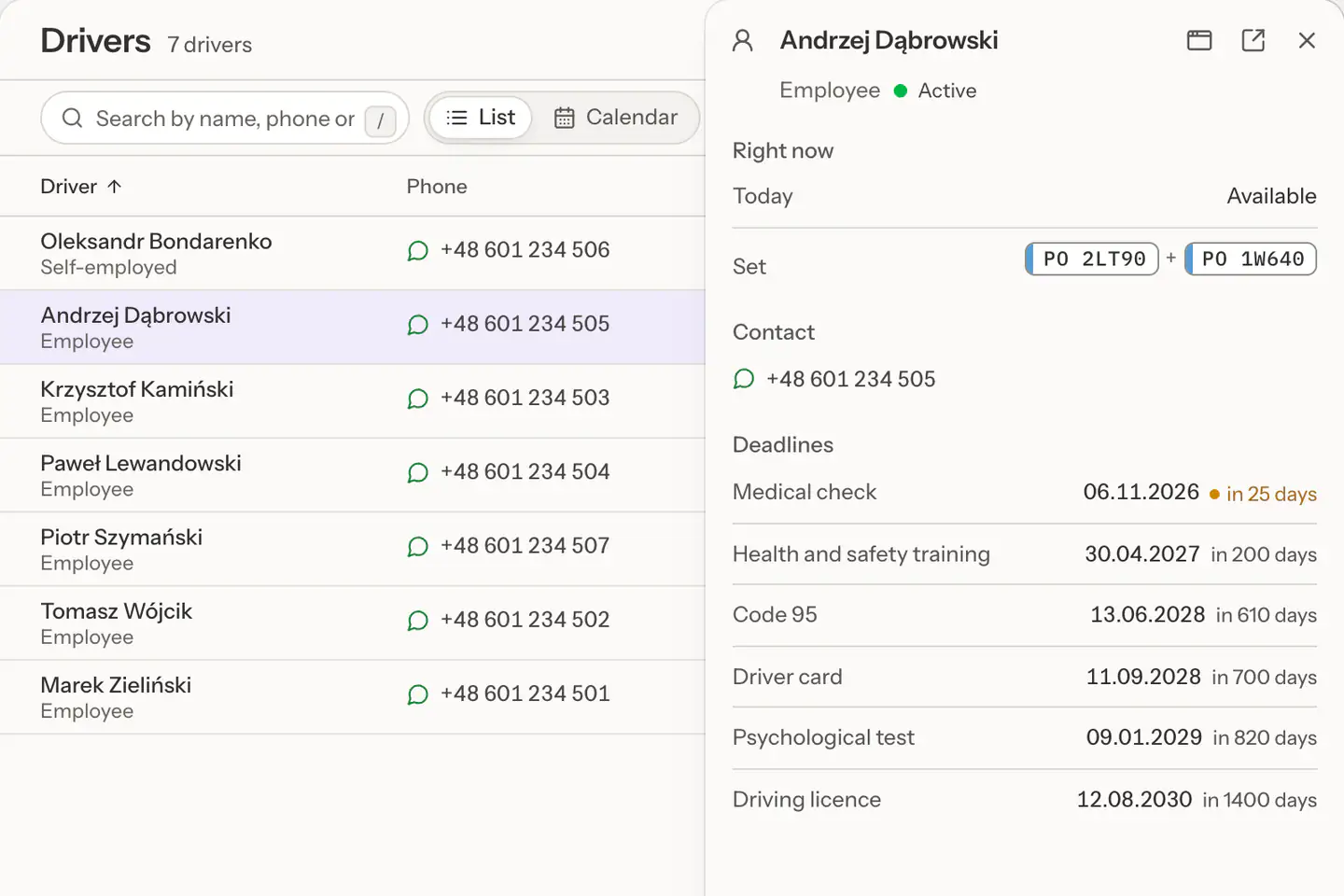
  • Drivers in Quanty TMS: the list of drivers, their sets and documents with expiry datesDrivers in Quanty TMS: the list of drivers, their sets and documents with expiry dates
    Drivers
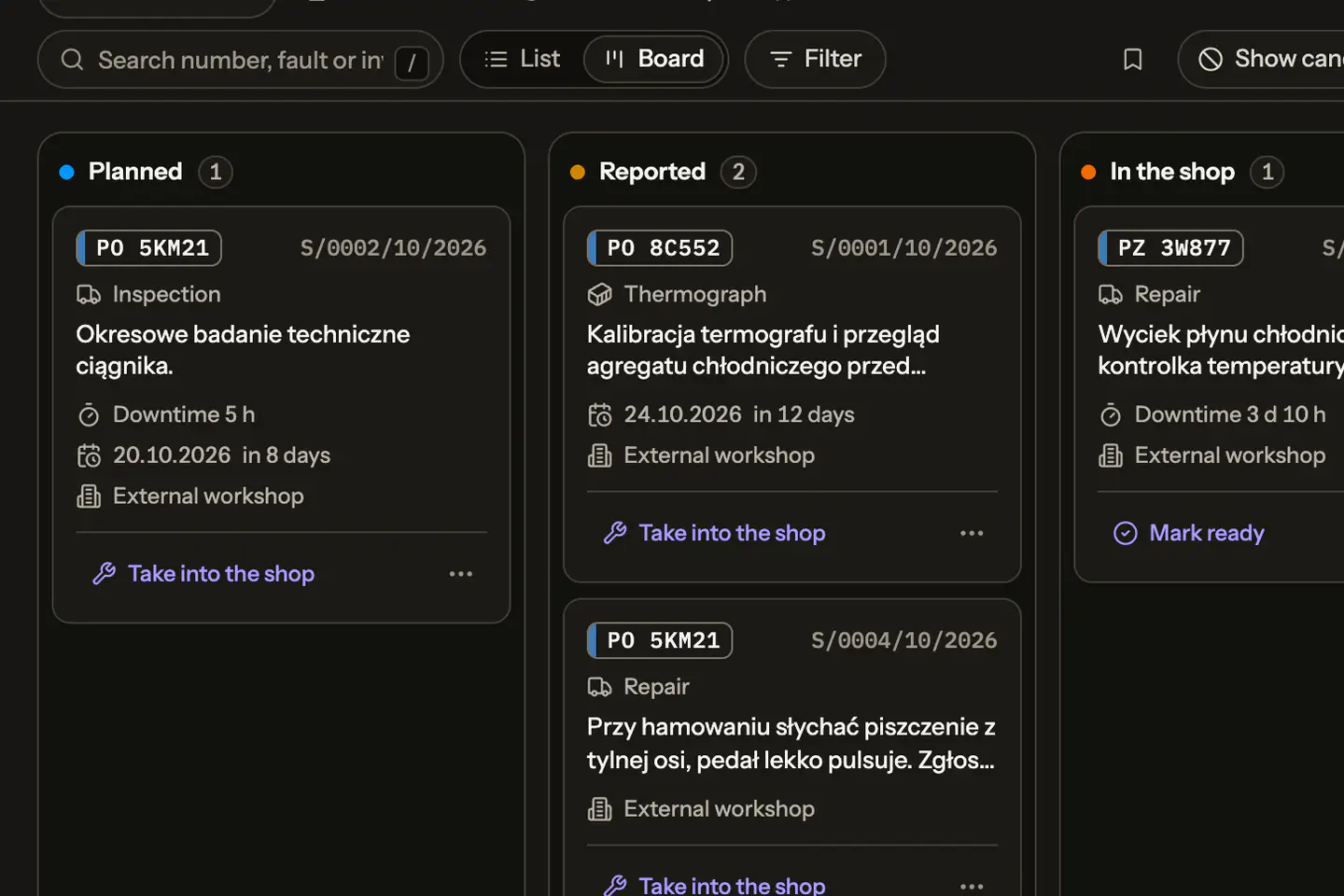
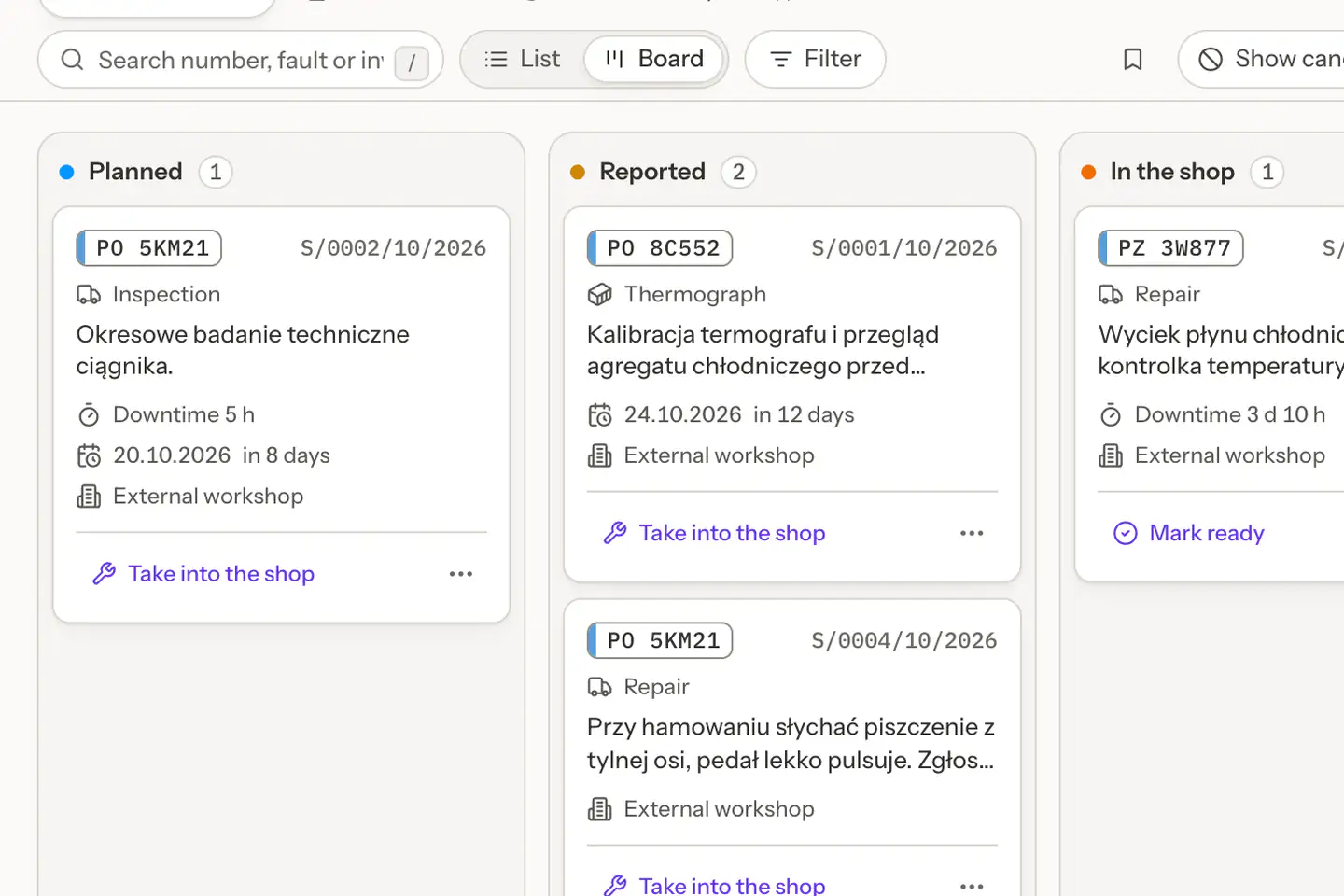
  • Workshop in Quanty TMS: service orders and downtimeWorkshop in Quanty TMS: service orders and downtime
    Workshop
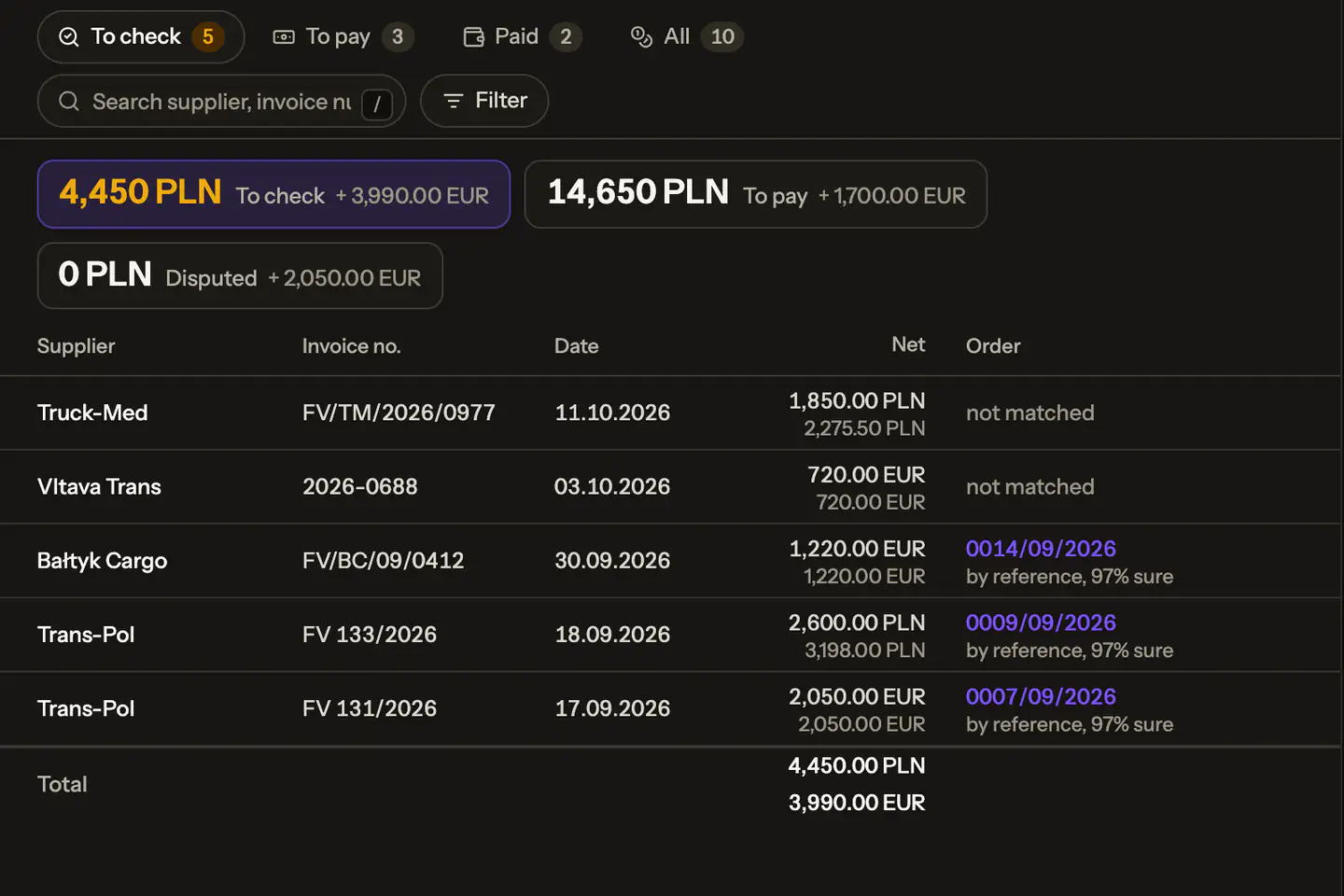
  • Costs in Quanty TMS: fleet and carrier costsCosts in Quanty TMS: fleet and carrier costs
    Costs
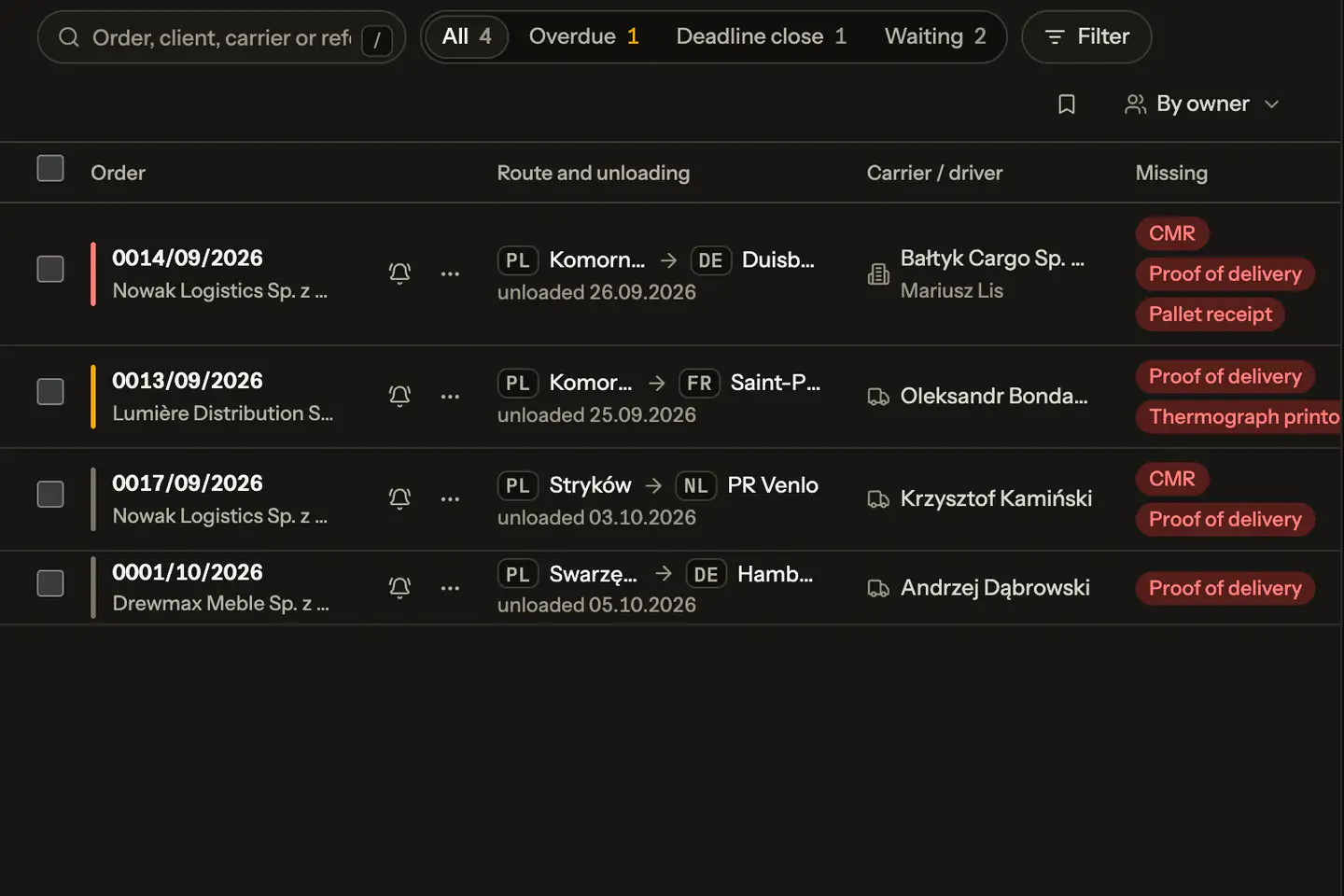
  • Documents in Quanty TMS: the CMR queue with remindersDocuments in Quanty TMS: the CMR queue with reminders
    Documents
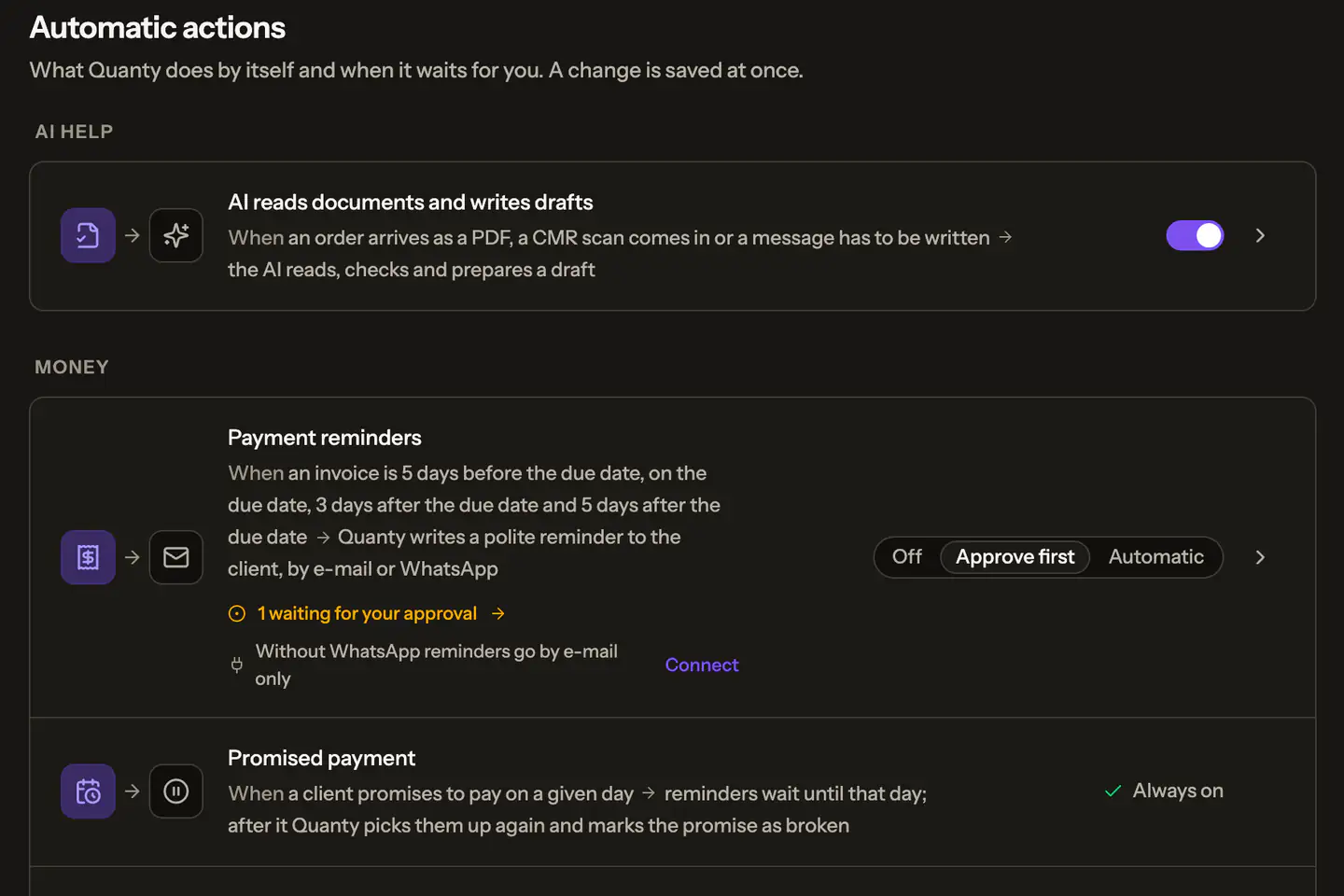
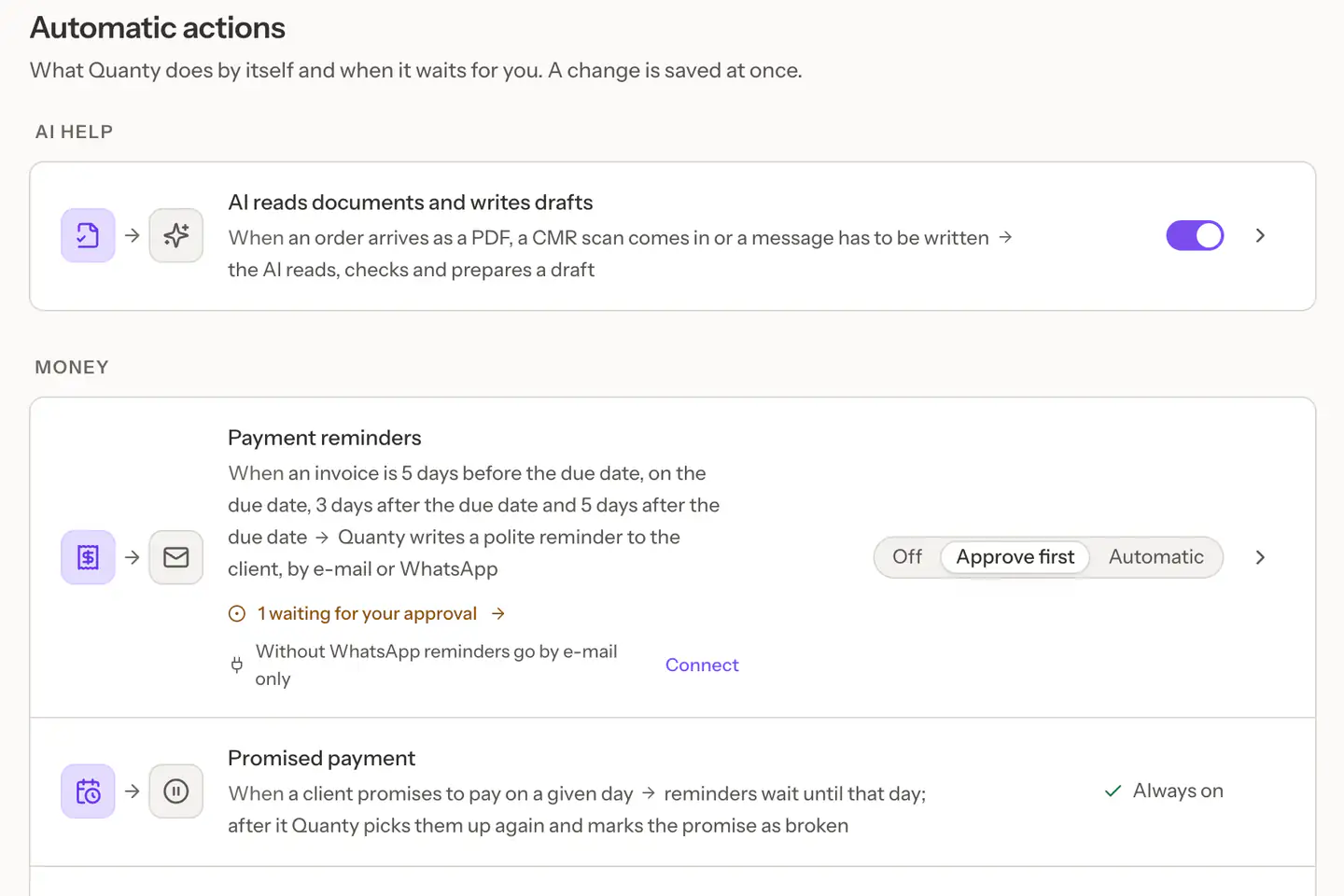
  • Automations in Quanty TMS: When and Then rulesAutomations in Quanty TMS: When and Then rules
    Automations
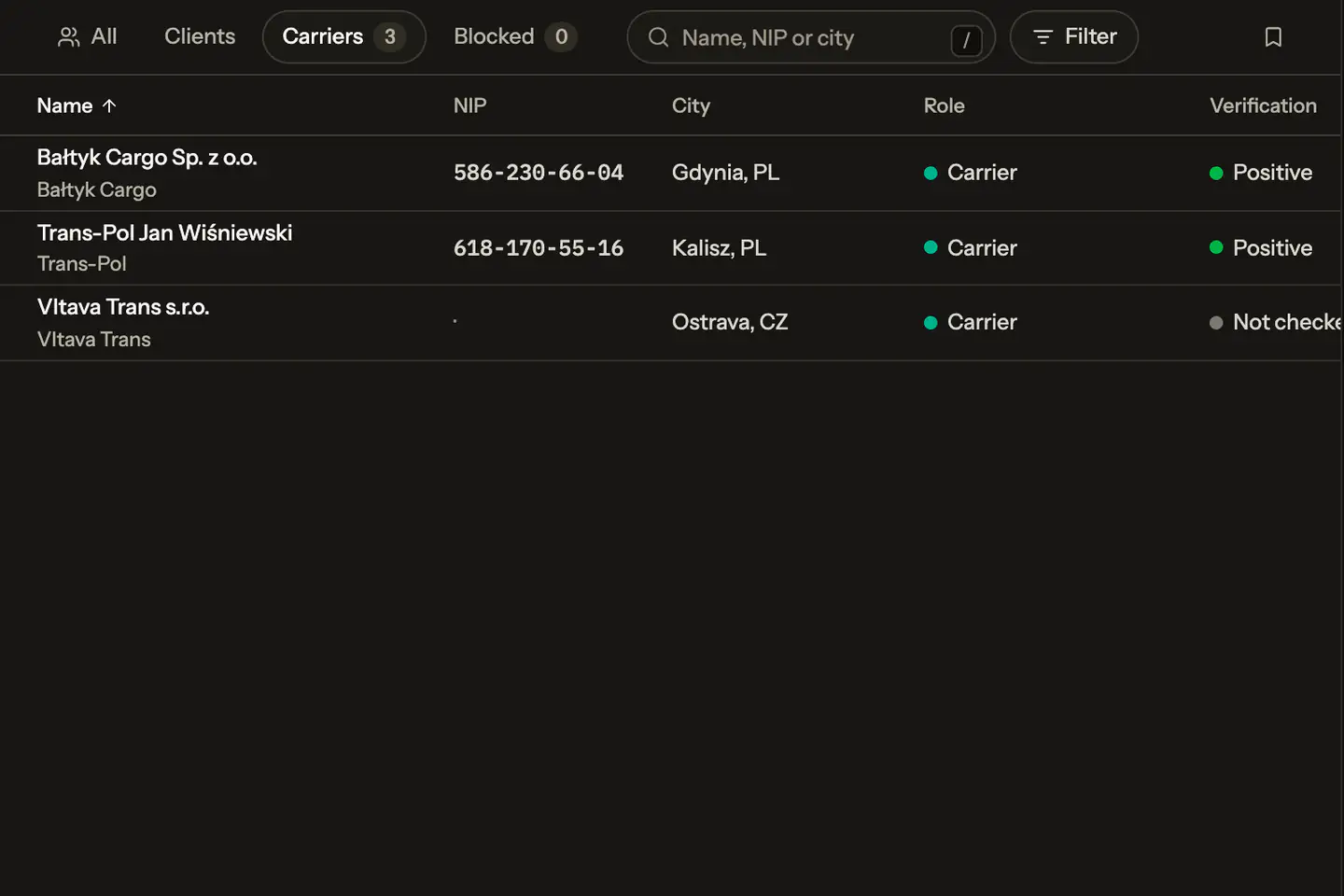
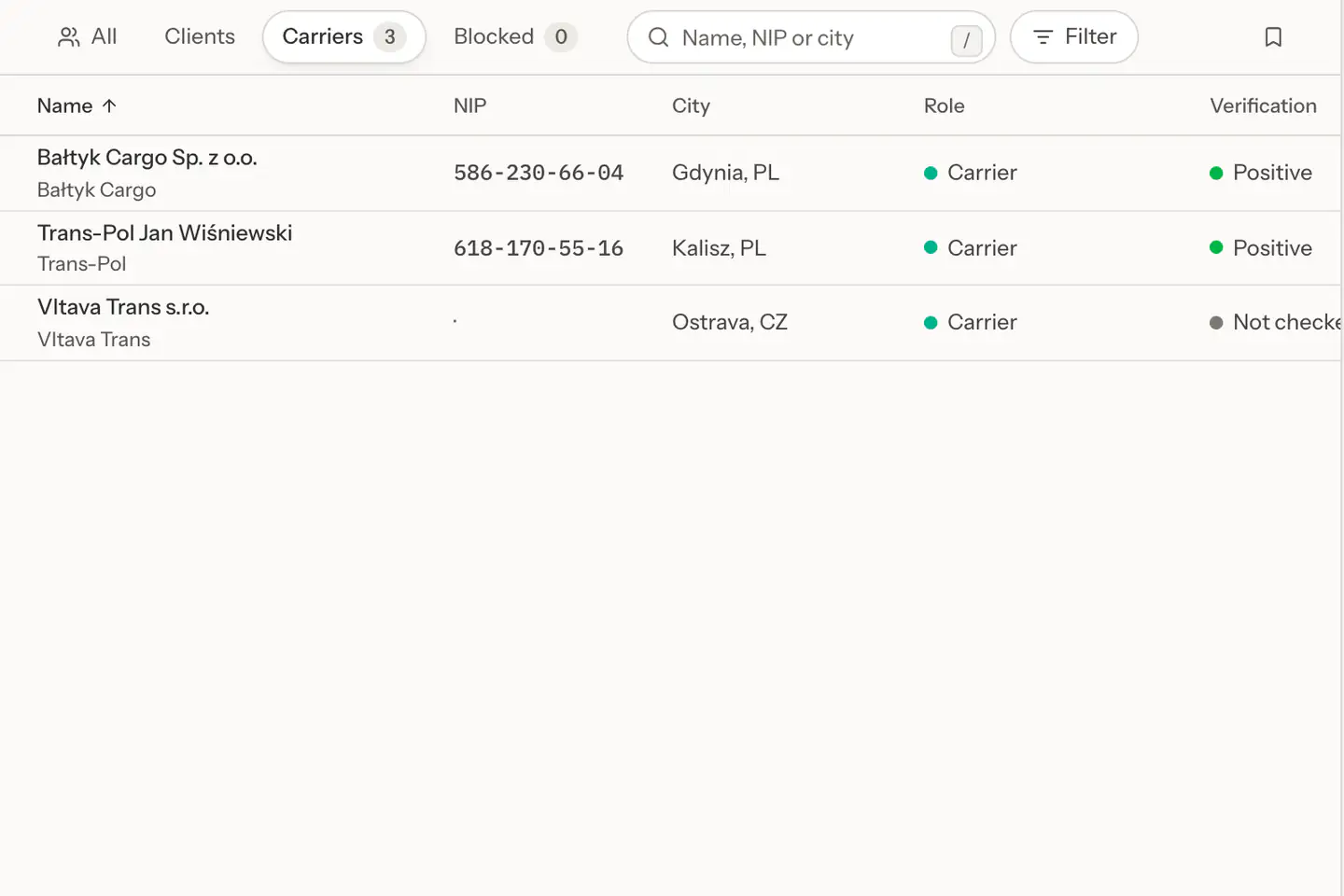
  • Carriers in Quanty TMS: the list with verificationCarriers in Quanty TMS: the list with verification
    Carriers
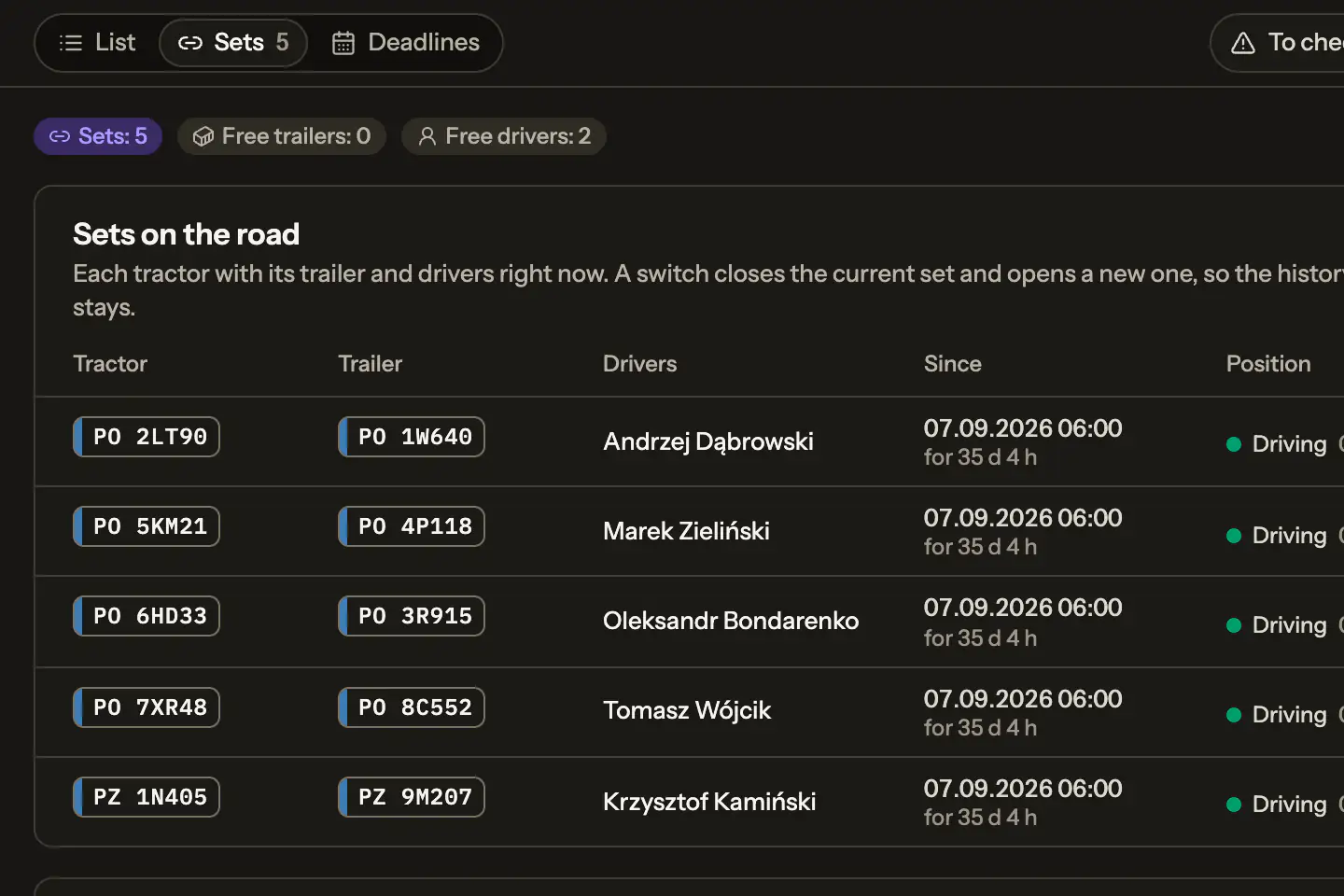
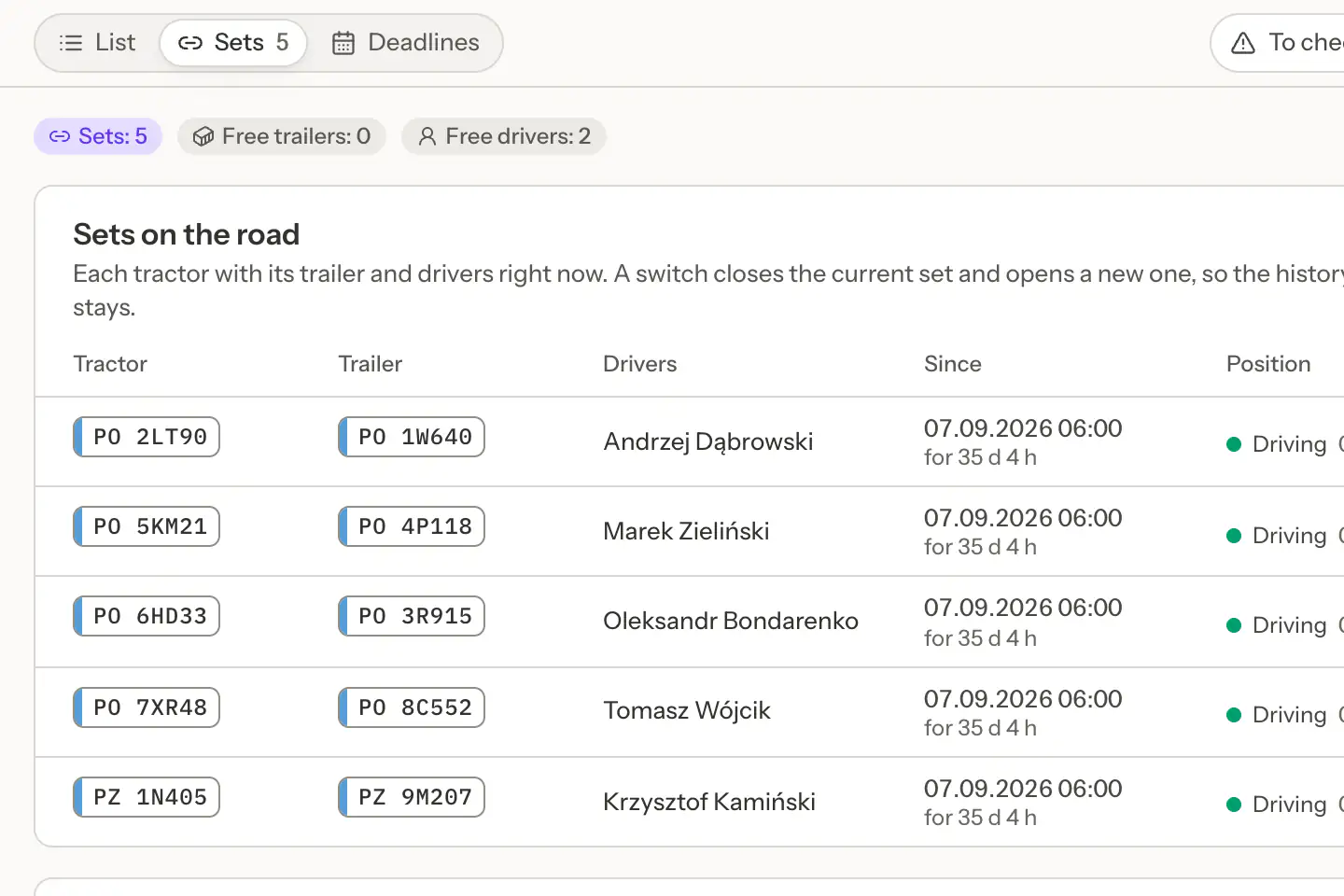
  • Fleet in Quanty TMS: the sets on the road, each a tractor, a trailer and a driverFleet in Quanty TMS: the sets on the road, each a tractor, a trailer and a driver
    Fleet
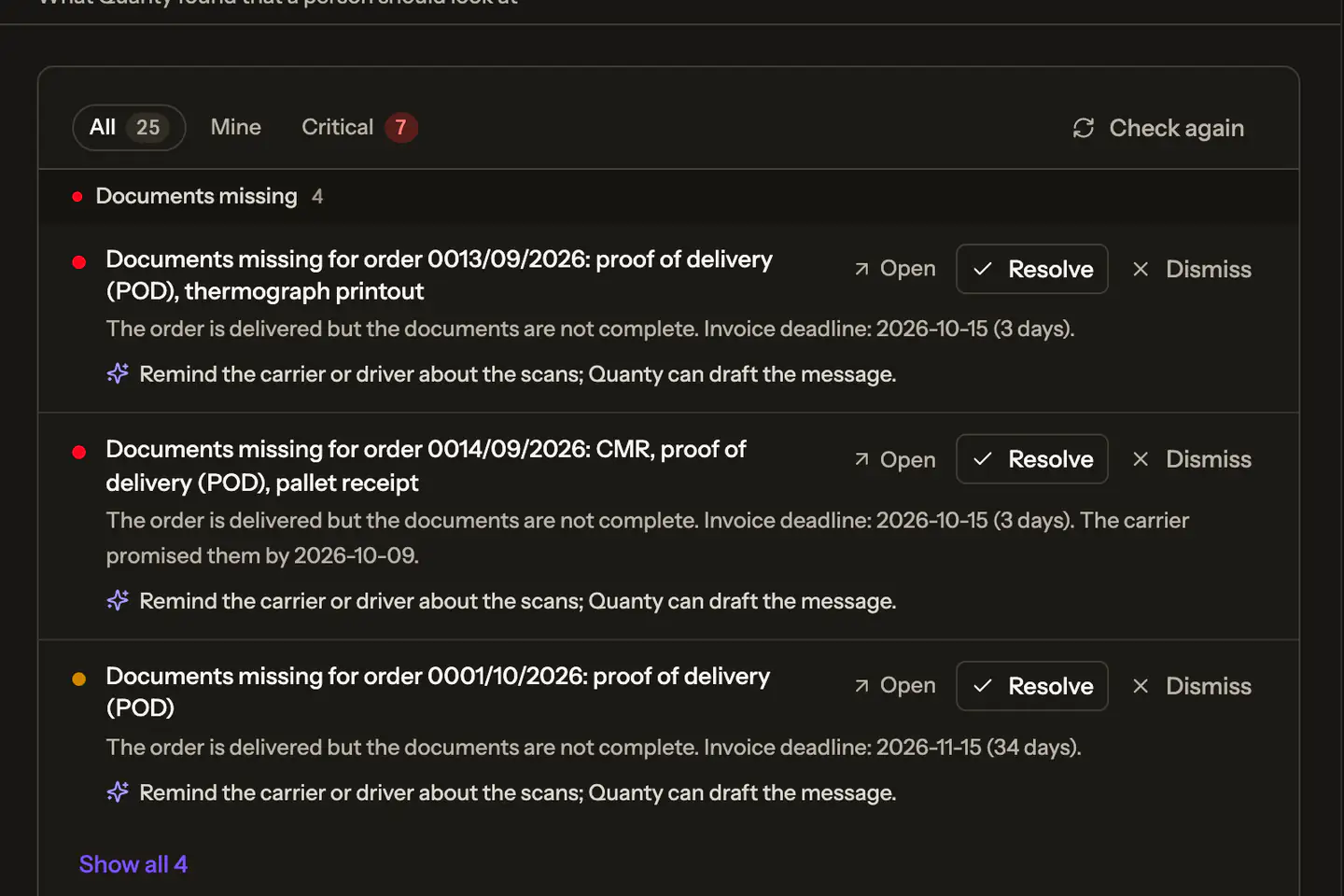
  • Issues in Quanty TMS: the queue of exceptions to deal withIssues in Quanty TMS: the queue of exceptions to deal with
    Issues

Contact

Want to see it on your own orders?

Leave your details. We will show you Quanty TMS on your data.

What would you like?
How many trucks?

By submitting this form I confirm I have read and accepted Quanty’s Privacy Policy.

How Quanty works with AI

AI prepares the work. A person approves it. Invoices are always issued by a person.

Questions

What hauliers ask.

Will it work with my GPS?

Connect your telematics account and positions show on the map and in the planner. Tell us your provider and we will check it.

How do I start?

Leave your details. We switch the add-on on for your company and help move orders, fleet, customers and carriers.

Where is my data?

On Amazon Web Services in Frankfurt, EU. Your company stays the data controller.

What does it cost?

TMS is an add-on to your Quanty plan, one per organization. Ask us for its price. See pricing

A truck on a wet motorway at night, its lights drawn out into streaks

Run your transport company on Quanty.